
Topic 3
Pull Request
Push your work branch to GitHub and open a pull request into main. Review the changed files and feedback before merging.
What a Pull Request means
A pull request (PR) proposes merging changes from a work branch into another branch on GitHub. It lets collaborators review and discuss those changes before merging.
When creating a PR, select main as the base branch that will receive the changes and your work branch as the compare branch. GitHub shows the differences in that direction.
Push the branch to GitHub
After committing your work, use git branch --show-current in the VS Code integrated terminal to confirm that draft-section is active. If this branch has not been published yet, push it to GitHub with the following command.
git push -u origin draft-section
The -u option sets the upstream branch for local draft-section. On later commits to the same branch, git push sends them to GitHub.
Open a Pull Request
The existing images below use new-contents as an example branch. Select draft-section when following this guide.
On GitHub, select the draft-section branch. Choose Compare & pull request above the file list if it appears. Otherwise, open Pull requests > New pull request.
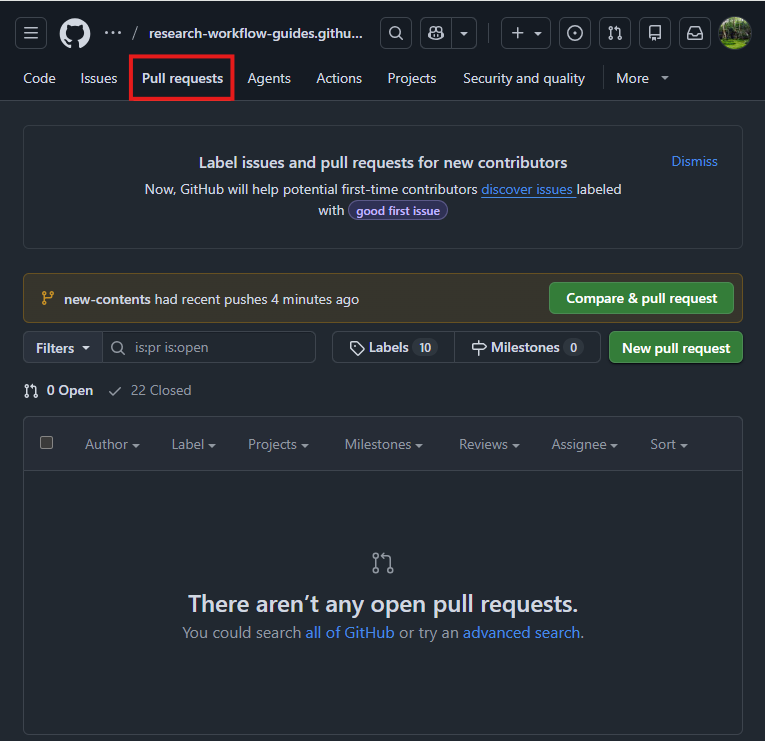
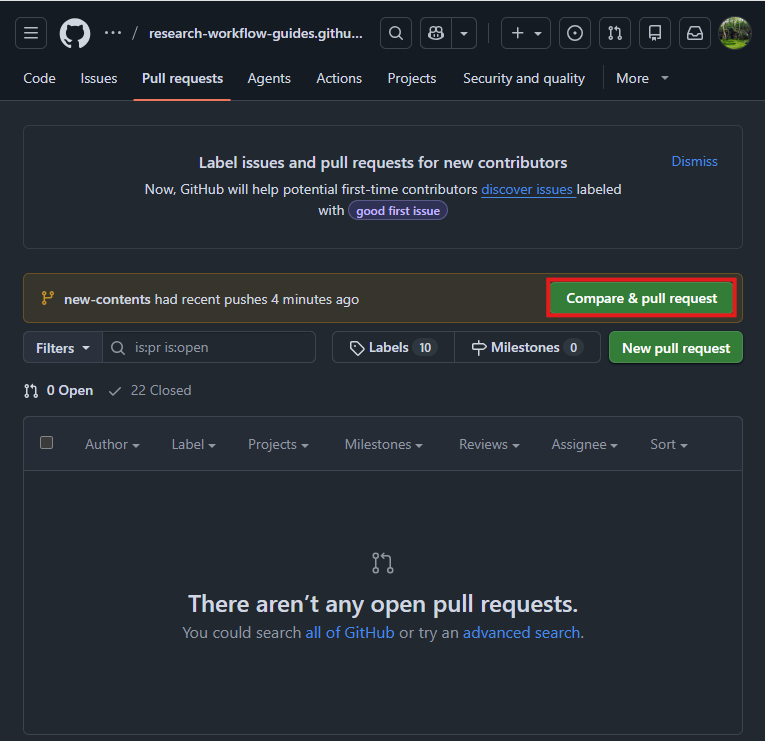
On the PR creation page, confirm base: main and compare: draft-section. Check that the proposed file changes contain only the intended work.
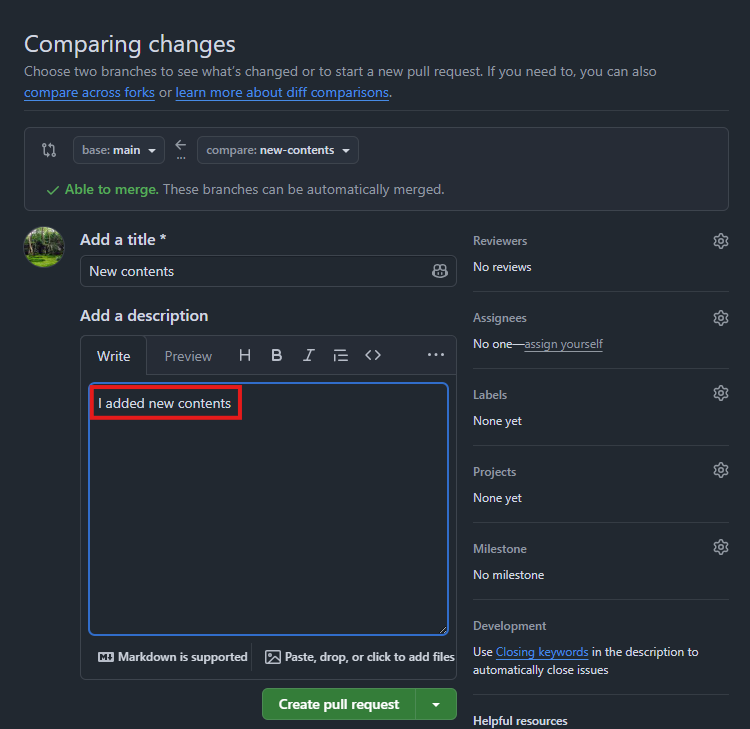
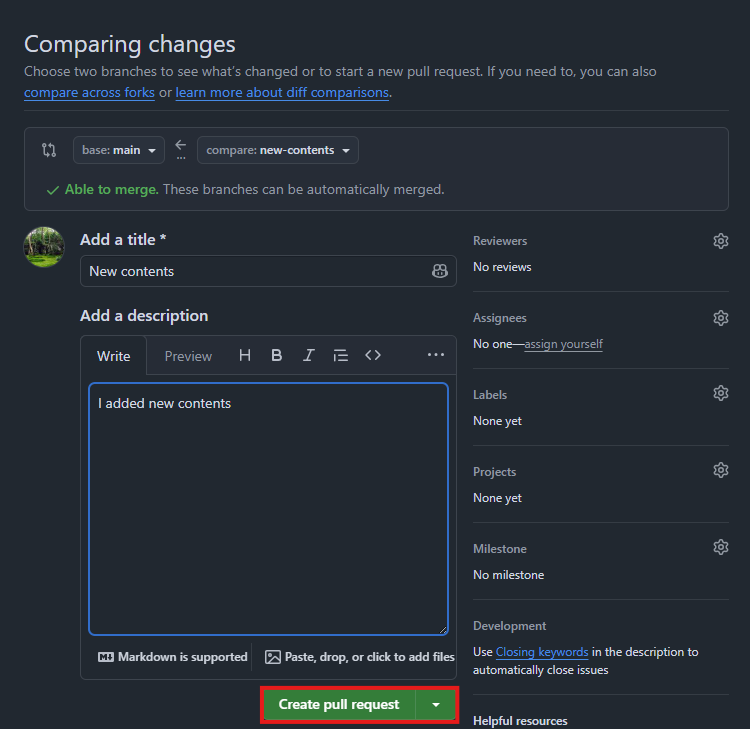
Give the PR a short title. In the description, explain what changed, why, and what needs review. When ready, select Create pull request.
Review the Pull Request
On the PR page, use Conversation for the description and comments, Commits for commit history, Checks for automated results, and Files changed for file differences.
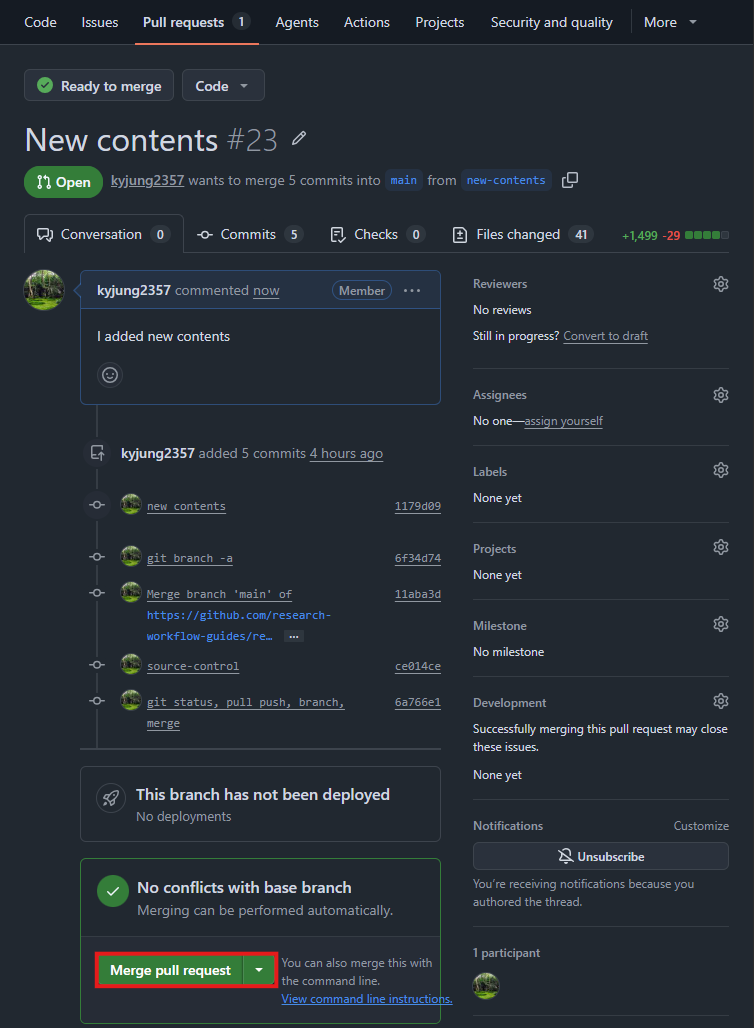
In Files changed, check that the PR contains the expected files and inspect each difference. To request a review, select a collaborator under Reviewers in the right sidebar. Reviewers can comment, approve, or request changes.
If changes are requested, edit the files on the same draft-section branch. In Source Control, stage only the intended files, commit them, and run git push. The PR updates when those commits reach the branch.
git push
Prepare the Pull Request for merge
Confirm that requested changes and the team’s review are complete. Check the merge status at the bottom of Conversation for conflicts, and satisfy any required approvals or automated checks configured for the repository.
Leave the reviewed PR open. Follow Merge to merge it and update your local main branch.