Visualization 3
GIF animation
GIF animation is useful for showing a short changing process without requiring an interactive viewer.
Install required library
If Pillow is not installed, install it first.
On Windows PowerShell:
py -m pip install pillow
On macOS or Linux:
python3 -m pip install pillow
Example
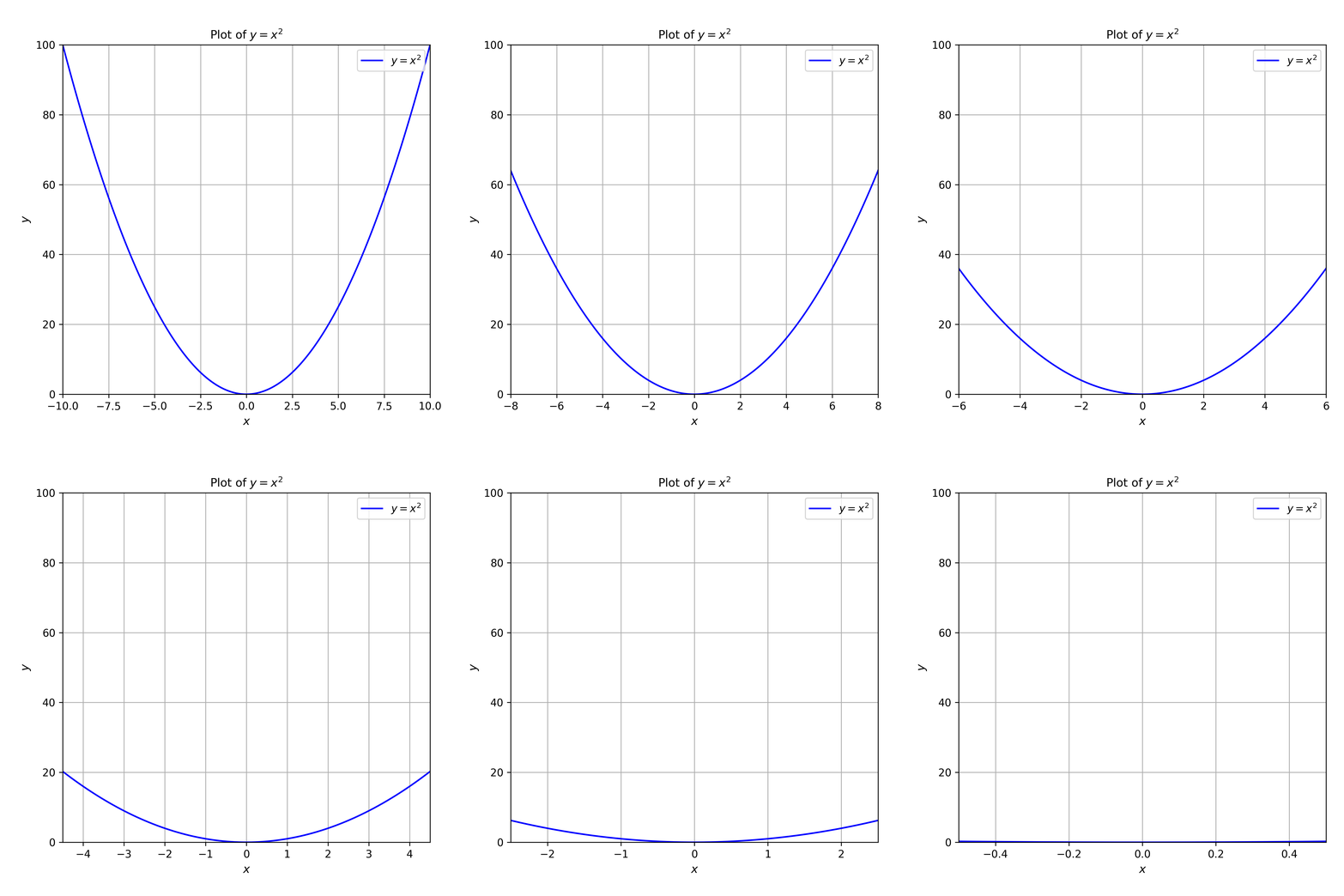
This example first saves a sequence of PNG frames, then combines those frames into a GIF animation. Save the code in a .py file; the figures and animations folders are created next to that file.
# Basic packages
import numpy as np
import matplotlib.pyplot as plt
from pathlib import Path
from PIL import Image

# save path setting
script_dir = Path(__file__).resolve().parent
figures_dir = script_dir / "figures"
animations_dir = script_dir / "animations"
figures_dir.mkdir(exist_ok=True)
animations_dir.mkdir(exist_ok=True)

for frame_path in figures_dir.glob("frame-*.png"):
    frame_path.unlink()

# function
def f(x):
    return x**2

# ==========
# Making frames
# ==========
def zoom(x_range=10, frame_index=1):
    assert 0 <= x_range <= 10, "Input x_range should be in [0, 10]"

    x = np.linspace(-10, 10, 400)

    fig, ax = plt.subplots(figsize=(6, 6))
    fig.subplots_adjust(left=0.14, right=0.96, bottom=0.12, top=0.90)
    ax.plot(x, f(x), label="$y = x^2$", color="blue")
    ax.set_xlabel("$x$", fontsize=11)
    ax.set_ylabel("$y$", fontsize=11)
    ax.set_xlim(-x_range, x_range)
    ax.set_ylim(0, 100)
    ax.tick_params(labelsize=10)
    ax.grid()
    ax.legend(loc="upper right")
    ax.set_title("Plot of $y = x^2$", fontsize=11)

    frame_path = figures_dir / f"frame-{frame_index:03d}.png"
    fig.savefig(frame_path, dpi=300)
    plt.close(fig)

for frame_index, x_range in enumerate(np.arange(10.0, 0.0, -0.5), start=1):
    zoom(x_range, frame_index)

frame_paths = sorted(
    figures_dir.glob("frame-*.png")
)

if not frame_paths:
    raise FileNotFoundError(f"No PNG frames found in {figures_dir}")

# ====================
# Making the animation
# ====================
frames = []
for frame_path in frame_paths:
    with Image.open(frame_path) as image:
        frames.append(image.convert("RGB").copy())

frame_size = frames[0].size
if any(frame.size != frame_size for frame in frames):
    raise ValueError("All frames must have the same size.")

frames[0].save(
    animations_dir / "figure-1-animation.gif",
    save_all=True,
    append_images=frames[1:],
    duration=400,
    loop=0,
    disposal=2
)

print("GIF animation creation completed.")
The script saves the PNG frames in figures/ and the GIF as animations/figure-1-animation.gif next to the .py file. This keeps generated figures and animations close to the script that created them.
The resulting animation should look like this.