
Topic 3
BibTeX
Store reference entries in a .bib file and cite the entries you need by key in the manuscript's .tex file. The same .bib file can be reused across manuscripts.
How BibTeX uses two files
- The
.bibfile stores each reference’s bibliographic details and citation key. - The
.texfile cites selected entries with citation keys.
In the BibTeX example below, only entries cited with \cite in the .tex file appear in the bibliography. You can keep many references in one .bib file and cite the ones needed for the current manuscript.
Prepare a .bib file
The seed-document example from the previous step already includes bibliography.bib; open that file. For a new manuscript, create a .bib file in the folder containing its .tex file.
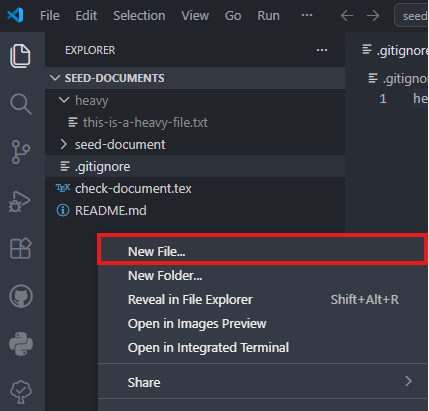
If you create a new file, use reference.bib as the example name.
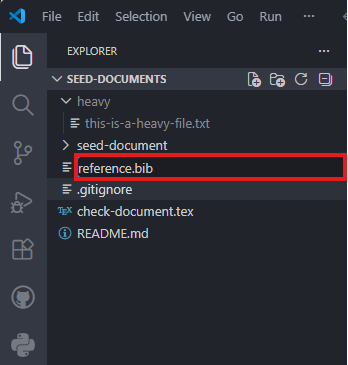
Keeping the .bib file in the manuscript folder lets you track it in Git and use it from other manuscripts in that folder.
Find a BibTeX entry
Search for the source in MathSciNet or Google Scholar, or open its journal or publisher page.
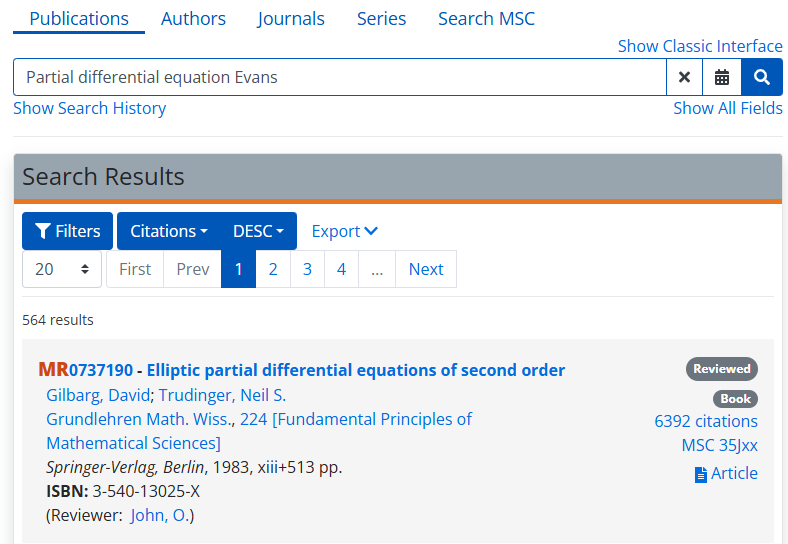
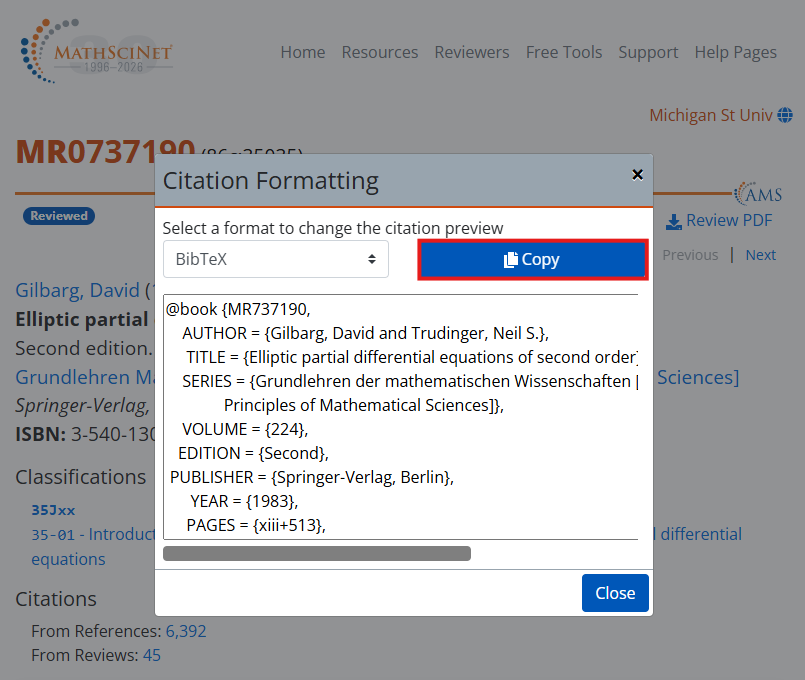
MathSciNetThe search images below are illustrative examples. Find and open the record you want to cite, then follow Cite → BibTeX → Copy for that record.

Search by the source’s title or author.
Open the record you want to cite, then select Cite.
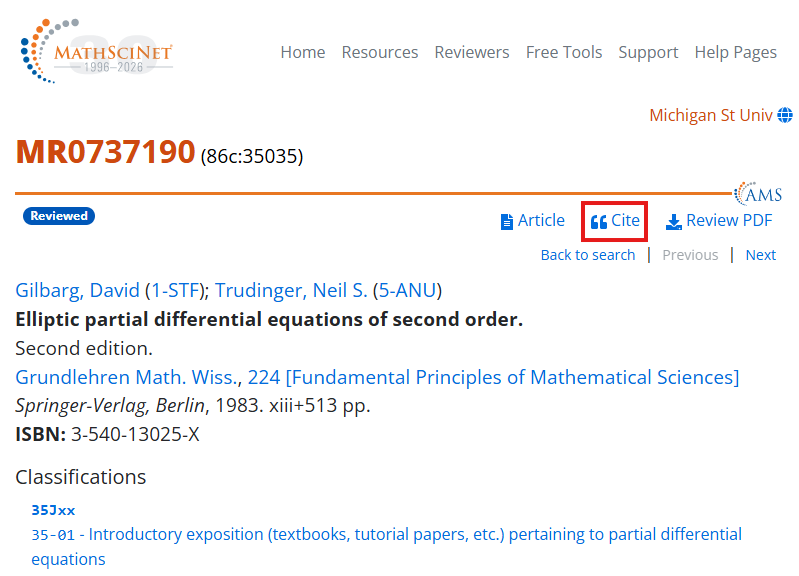
In Citation Formatting, confirm that BibTeX is selected, then select Copy to copy the entry.
Add the entry
Paste the copied BibTeX entry into the .bib file you are using. The example below adds it to reference.bib.
@book {MR737190,
    AUTHOR = {Gilbarg, David and Trudinger, Neil S.},
     TITLE = {Elliptic partial differential equations of second order},
    SERIES = {Grundlehren der mathematischen Wissenschaften [Fundamental
              Principles of Mathematical Sciences]},
    VOLUME = {224},
   EDITION = {Second},
 PUBLISHER = {Springer-Verlag, Berlin},
      YEAR = {1983},
     PAGES = {xiii+513},
      ISBN = {3-540-13025-X},
   MRCLASS = {35Jxx (35-01)},
  MRNUMBER = {737190},
MRREVIEWER = {O.\ John},
       DOI = {10.1007/978-3-642-61798-0},
       URL = {https://doi.org/10.1007/978-3-642-61798-0},
}
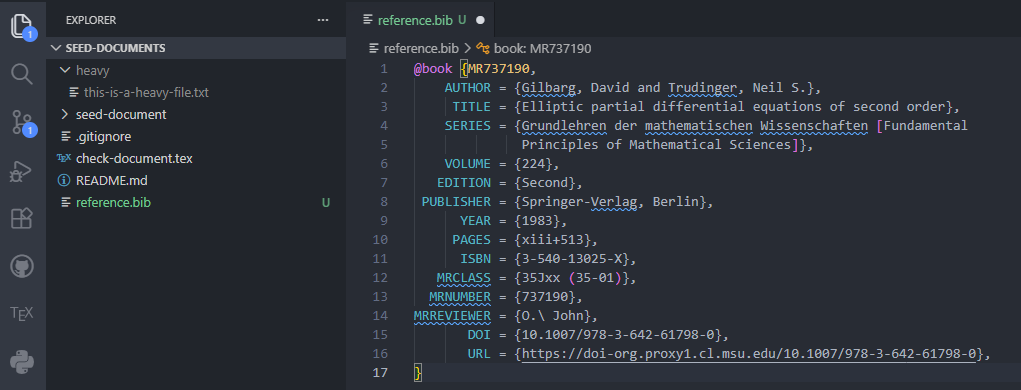
On the first line, MR737190 inside the braces after @book is the citation key. Use the same value in the manuscript’s \cite{...} command.
Cite the source
\cite{MR737190}
If your manuscript uses the new reference.bib file, add these commands before \end{document}. The first chooses the bibliography style; the second selects the .bib file. Keep the existing abbrv style and bibliography.bib connection when using the seed-document example.
\bibliographystyle{plain}
\bibliography{reference}
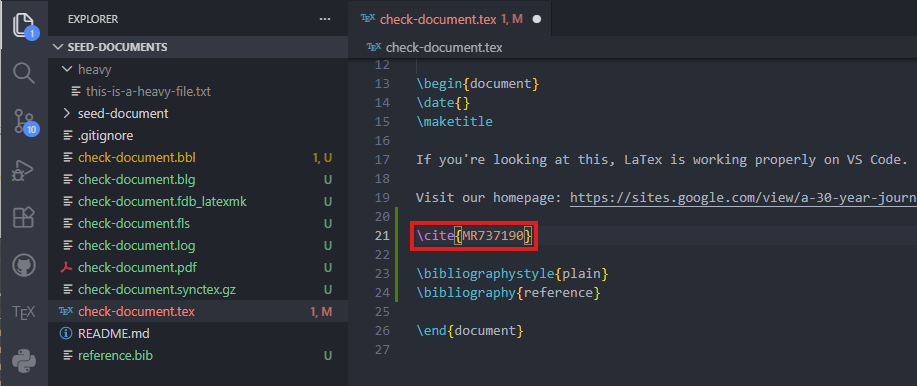
Omit the .bib extension inside \bibliography{...}. Use \bibliography{reference} for reference.bib or \bibliography{bibliography} for bibliography.bib.
Check the bibliography
Open the manuscript’s .tex file in VS Code, run Build LaTeX project from the Command Palette, and check the PDF preview.
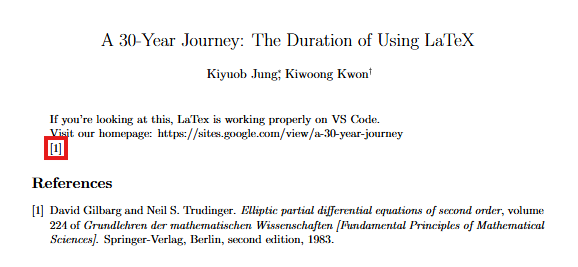
Check that the citation in the PDF is not ? and that the source appears in the bibliography. If the entry is missing, check that the citation key in .tex matches the key on the first line of the .bib entry.
If the manuscript template loads biblatex, do not add the BibTeX commands above. Follow the template’s \addbibresource{...} and \printbibliography setup instead. If the bibliography is missing, check that the build runs the backend specified by the template.
If a citation remains ? or the bibliography does not update, check the LaTeX Workshop build log for BibTeX or template backend errors. Fix the error, rebuild, and check the PDF.