
Optional
Set up LaTeX snippets
On Windows, find and open the LaTeX user snippet file in VS Code to keep frequently used entries in one place.
Open the LaTeX snippet file
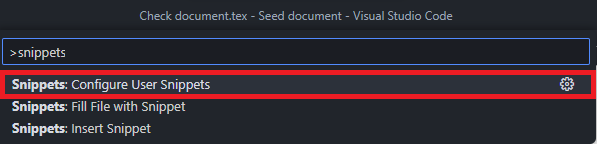
On Windows, press Ctrl+Shift+P to open the Command Palette and run Snippets: Configure Snippets. Some versions use Snippets: Configure User Snippets, as shown in the screenshot; it opens the same snippet picker. From there, create or open the user snippet file.
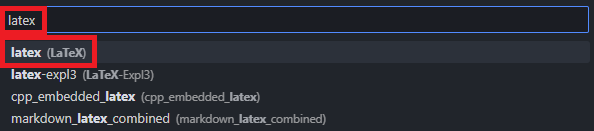
Search for latex in the language picker. If there is no existing file, select latex (LaTeX) to create a language-specific user snippet file. Snippets in this file are suggested when you edit LaTeX files.
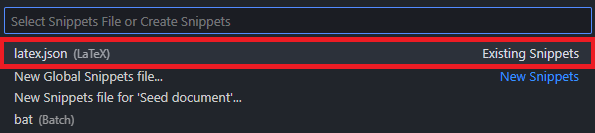
If latex.json (LaTeX) appears under Existing Snippets, select that file. Review the snippets already there, then add or edit entries in the same file.
Example user snippets
The default document pack includes example user snippets in latex.json. Add the definitions you need to the latex.json file you opened above.
- Windows default profile:
%APPDATA%\Code\ User\ snippets\ latex.json
In Windows File Explorer, enter %APPDATA%\ in the address bar and press Enter to open the default profile's snippets folder.
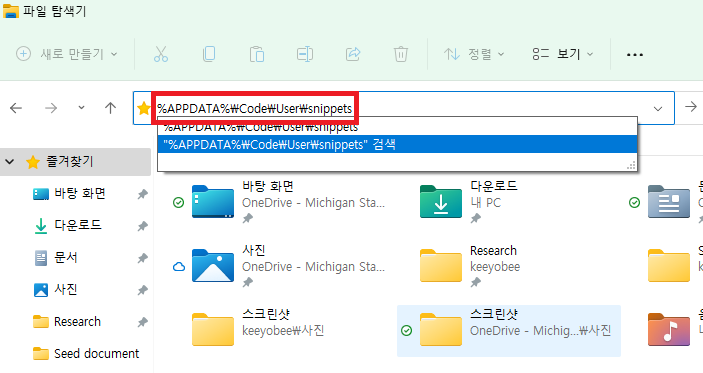
Look for a JSON file shown as latex or latex.json in the folder. If file name extensions are hidden, latex.json may appear as latex.
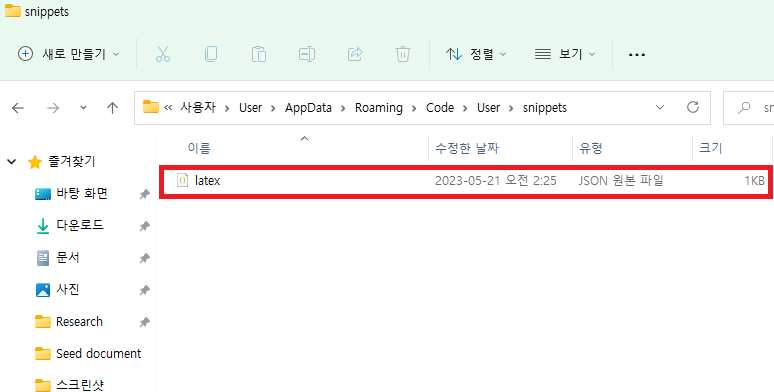
In latex.json, check the prefix and body of each snippet you add. The prefix is the trigger text, and the body is the LaTeX content inserted.
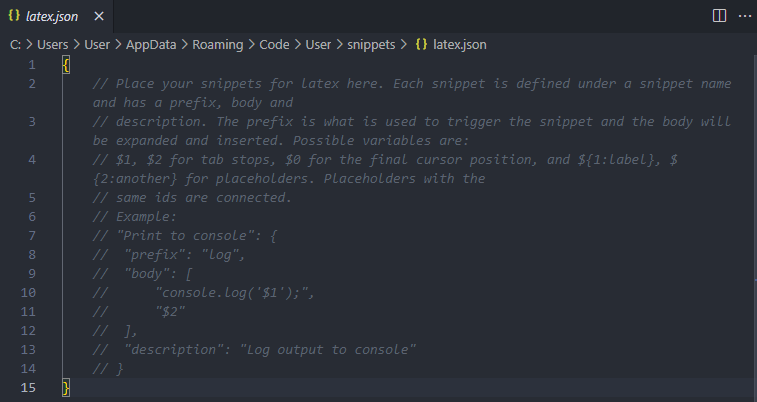
The unnumbered equation snippet in the default document pack uses eq as its prefix. Choose prefixes that are easy to type and distinguish from one another.
In a LaTeX file, type the new prefix, select the snippet from the suggestion list, and press Tab to insert it. Check that the LaTeX from body appears as expected.