
Topic 3
Version Control
On Windows, use Git Graph in VS Code to inspect commit history and file changes.
Install Git Graph
In VS Code, search for Git Graph in Extensions. Check that the publisher is mhutchie, then select Install. The Marketplace link below provides the extension details.
Git Graph on Visual Studio Marketplace
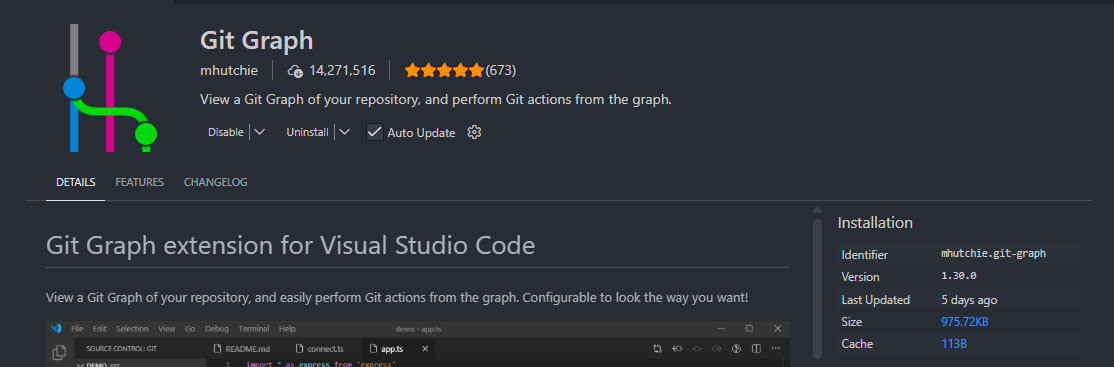
Git Graph
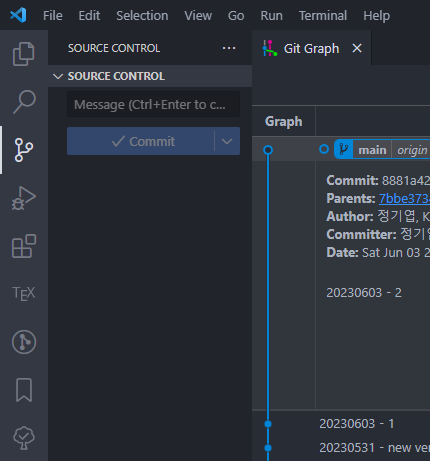
Open the Git repository folder in VS Code, press Ctrl+Shift+P, and run Git Graph: View Git Graph. The older screenshots below also show a Source Control button and a Git Graph item in the status bar.
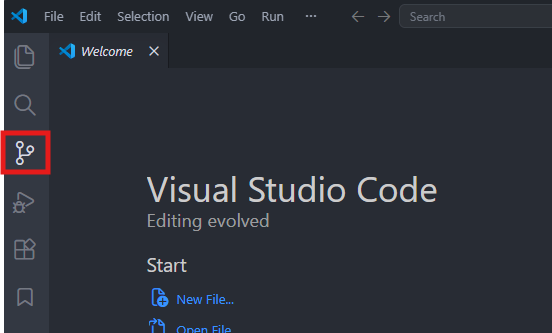
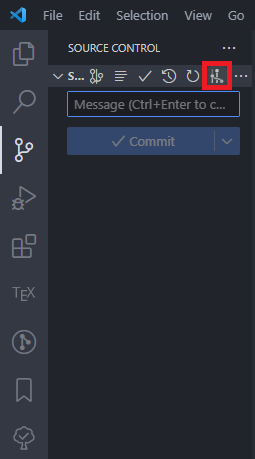
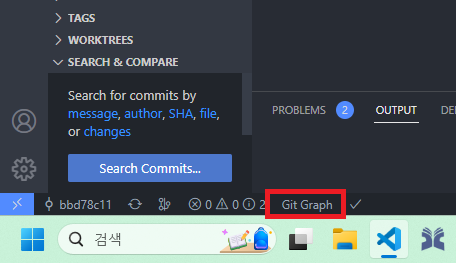
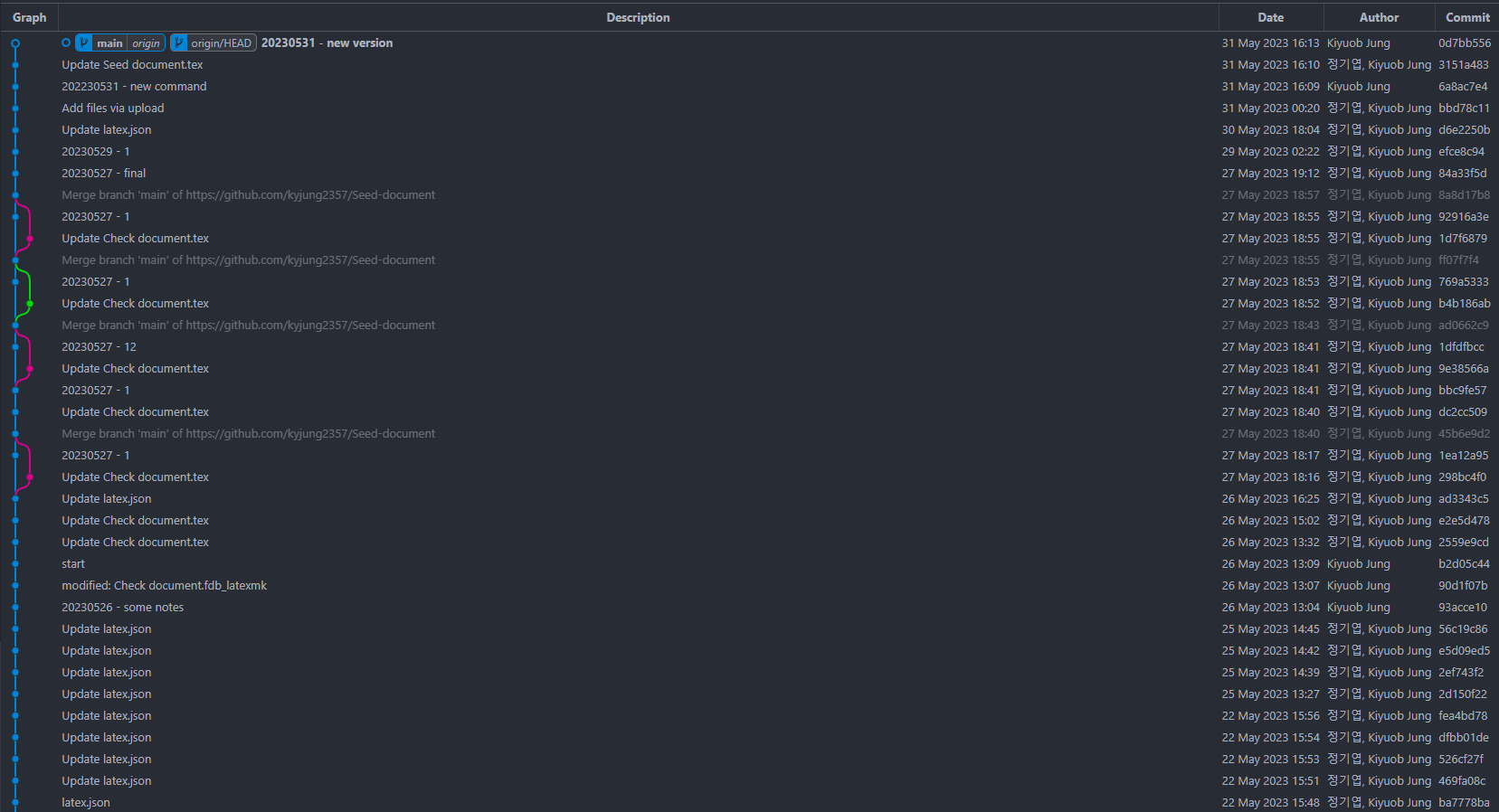
The dots and lines in the graph show how commits and branches connect. main points to the local branch, while origin/ shows the last known position of the remote branch. The labels do not always point to the same commit.
Interface
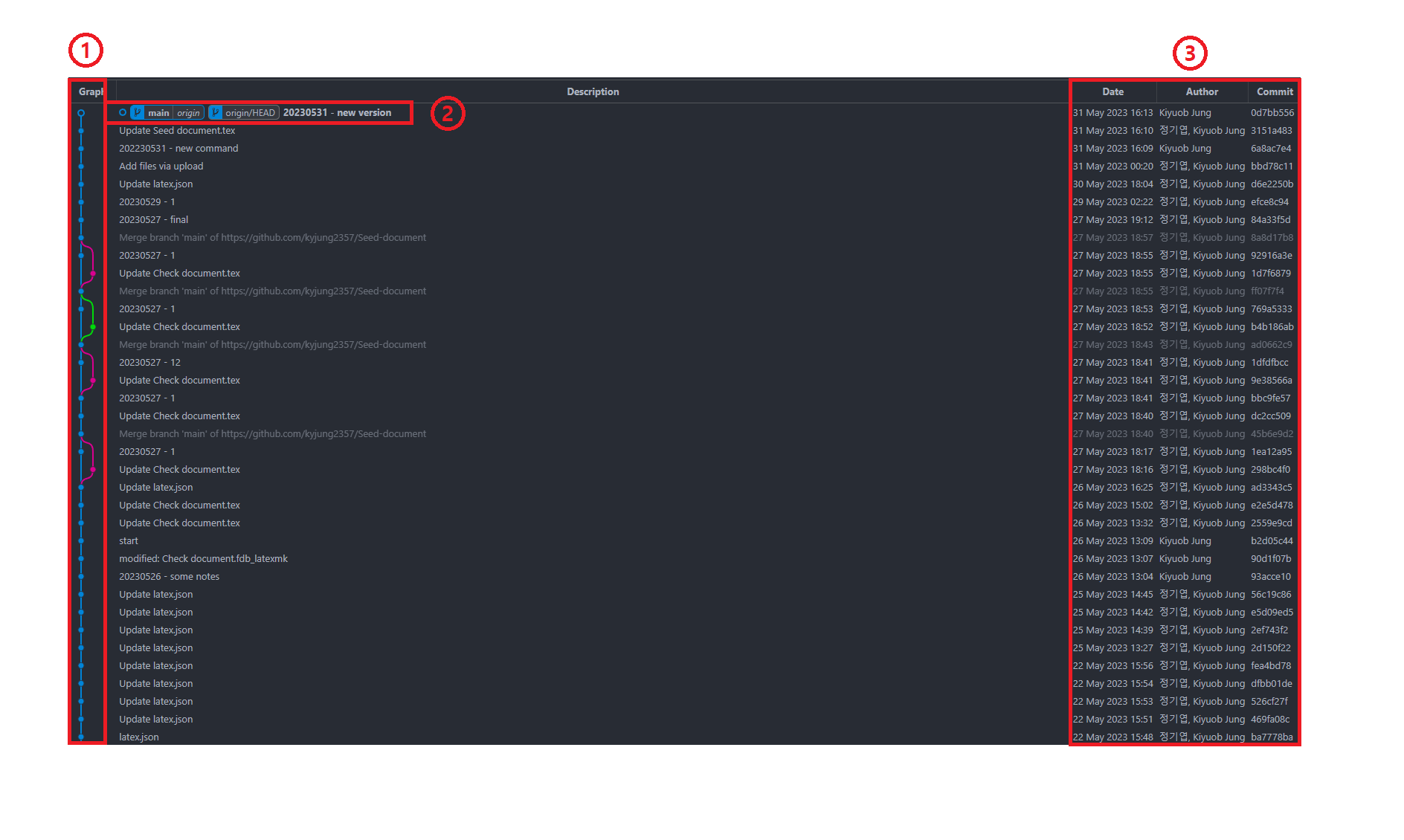
The numbers in the older screenshot identify these areas.
| Number | Area | What it shows |
|---|---|---|
| 1 | Graph | Dots represent commits; lines connect commits and show where branches diverge. |
| 2 | Description and labels | Commit messages and branch positions such as main and origin/. The selected commit and the current branch are different concepts. |
| 3 | Date, author, commit | The commit date shown by the current display setting, the author, and an abbreviated commit ID. The date is not the push time. |
Review of changes
Select a commit to list the files changed in that commit. In the older screenshot below, new file.tex was added, revised file.txt was modified, and deleted file.txt was deleted. Colors may vary with display settings, so check the file status as well.
.png)
Select a file in the commit’s changed-file list to open the VS Code diff view. The left side shows the earlier content and the right side shows the content after the commit. In the example below, “Also, I like dogs.” was added to revised file.txt.
.png)
Inspect an earlier version and Reset
Select an earlier commit in the graph to inspect its changes. Inspecting a commit this way does not alter your current files or branch. Before choosing a recovery operation, check Source Control for uncommitted changes.
To undo the changes from a commit that has already been shared, revert creates a new commit that reverses them. The Reset current branch to this commit item in the older screenshot below moves the current branch; do not use it merely to inspect an earlier version.
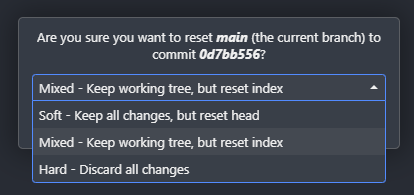
The older image below shows Git Graph’s Reset current branch to this commit menu. Reset moves the current branch to the selected commit. Check how each option affects the working files and staging area before using it.
.png)
| Option | Effect on the branch and files |
|---|---|
| Soft | Moves the branch to the selected commit while leaving the staging area and working files unchanged. |
| Mixed | Moves the branch and resets the staging area to the selected commit; working files remain unchanged. |
| Hard | Moves the branch and resets the staging area and tracked working files to the selected commit. Uncommitted changes may be lost. |
Resetting a branch that has already been published to GitHub can make the local and remote histories diverge, so a normal push may be rejected. To undo shared changes, consider revert, which records a new reversing commit. Hard can discard uncommitted changes; check how to preserve your work before using it.
For details, see Git’s reset documentation and revert documentation.