
Topic 2
Pull & Push
Create the first commit from the files added to the empty cloned repository, then use Publish Branch to send it to GitHub. After that, use Pull to receive remote commits and Push to upload local commits.
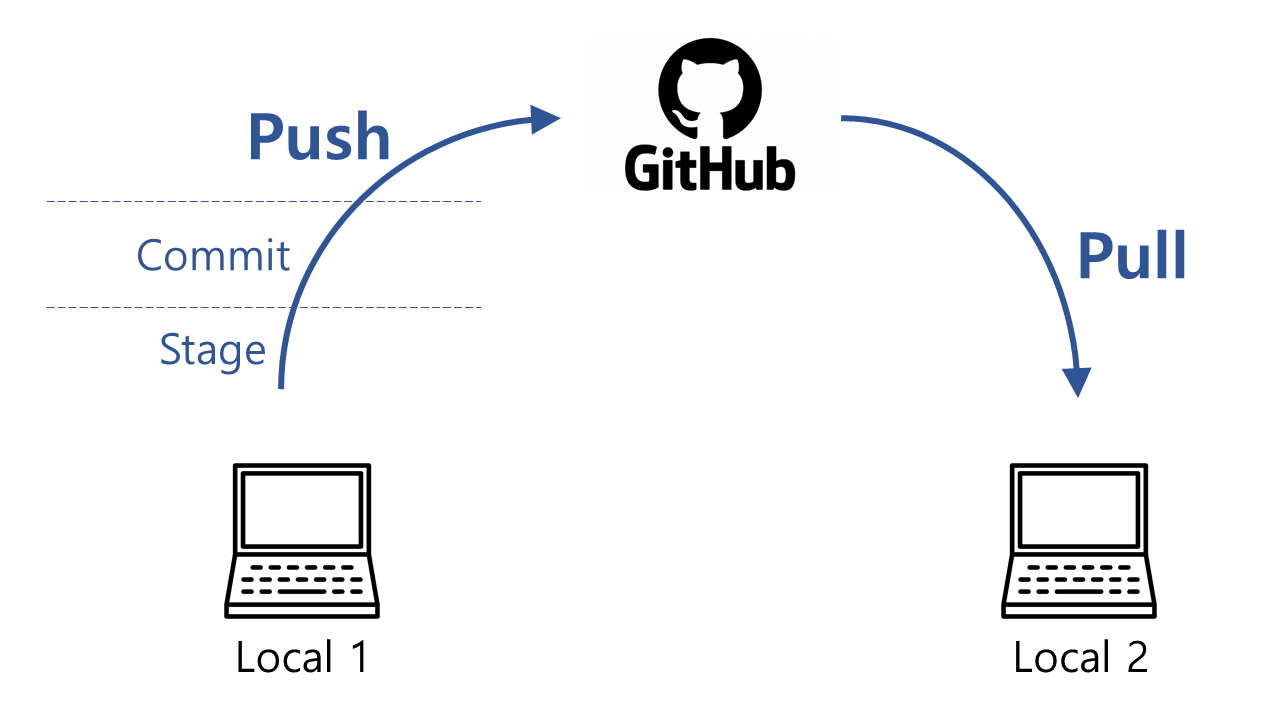
Key terms
- Stage: Choose changes for the next commit.
- Commit: Record those changes in local Git history.
- Push: Send local commits to GitHub.
- Pull: Bring new GitHub commits into the local branch.
Publish the first commit
Choose the project source files identified by git status in the previous step. For example, review check-document.tex and the source files in seed-document. Decide separately whether you need build outputs such as .aux, .log, .fls, .synctex.gz, and PDF files. Add files you want to exclude to .gitignore before staging.
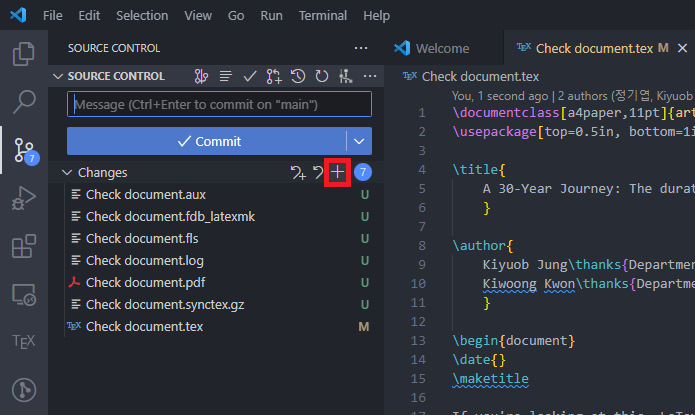
In VS Code Source Control, click + beside each file you want to stage, or right-click the file and select Stage Changes. The screenshots below show all files, including generated files, selected using the + beside Changes. In your own work, keep only the .tex, .bib, and other source files you need. If Staged Changes contains an unwanted file, click - beside that file to unstage it.
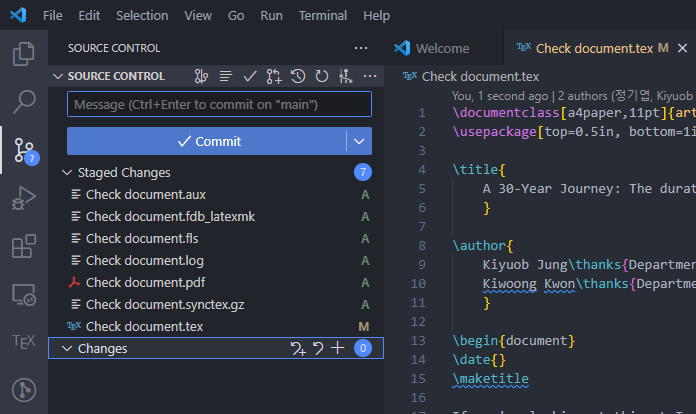
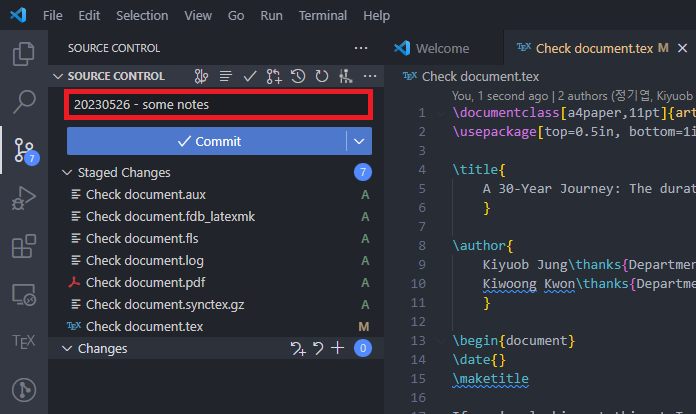
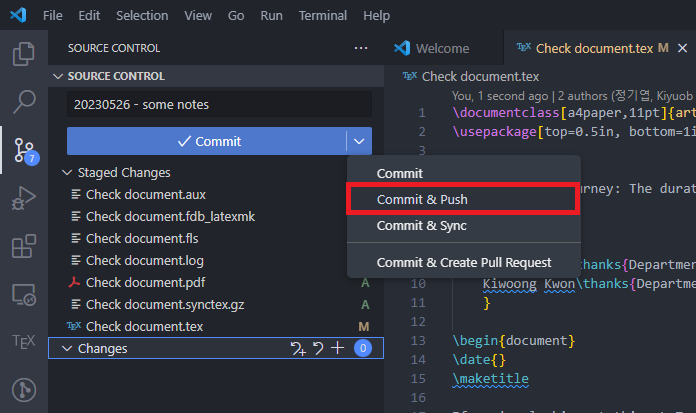
Once Staged Changes contains only the files you intend to upload, enter a commit message and select Commit. This records the commit locally. The screenshot shows where to enter the message; write one that describes your own changes.
After committing, select Publish Branch in Source Control to upload the current branch to the GitHub repository you cloned earlier. Check the displayed repository address so you do not select Publish to GitHub, which creates another repository. Then confirm the files and first commit on GitHub.
Receive remote changes
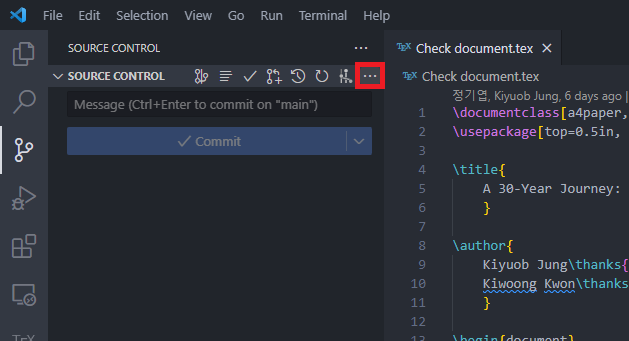
After publishing the first branch, when GitHub has new commits, select Pull from the Source Control ... menu. Commit or safely set aside any unfinished changes first. If nobody has added a remote commit, there are no new files to receive.
.png)
You can also run git pull in the terminal, or open the Command Palette with Ctrl+Shift+P and run Git: Pull.
git pull
.png)
Upload local commits
For later changes, review the files, stage only those you need, and commit them. Then select Push from the Source Control ... menu or run git push in the terminal. If a push is rejected because another commit was added to the remote branch, Pull and review those changes before pushing again.
git push
After reviewing the staged files, you can also use Commit & Push for later commits on an already published branch. The screenshot shows where to find the menu. Do not copy its generated-file selection; check that only the source files you need remain staged. Use Publish Branch above for the first commit.
You can also open the Command Palette with Ctrl+Shift+P and run Git: Push.
.png)
Check the published commit
On GitHub, check the files and latest commit on the branch you uploaded. Locally, run git status to check for unexpected remaining changes.
git status