
Topic 3
Clone
Copy the URL of the empty private repository you created earlier, then clone it in VS Code. Open the cloned folder before adding your project files.
Copy the empty repository URL
Open the empty private repository you created earlier and copy its HTTPS URL from Quick setup. For a repository that already has files, use the copy button beside the URL under Code > Local > HTTPS, as illustrated below.
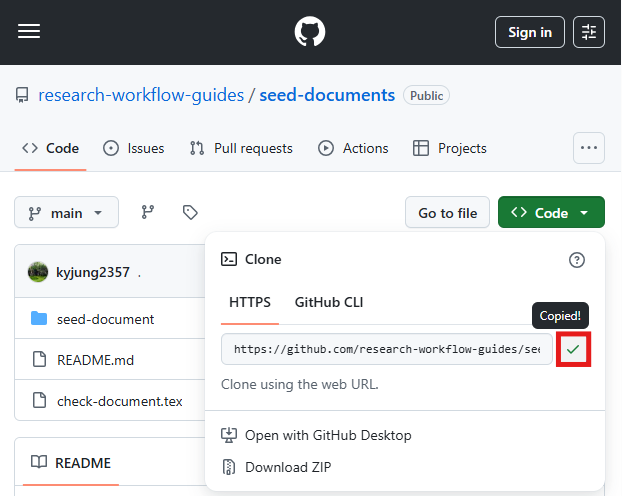
Clone in VS Code
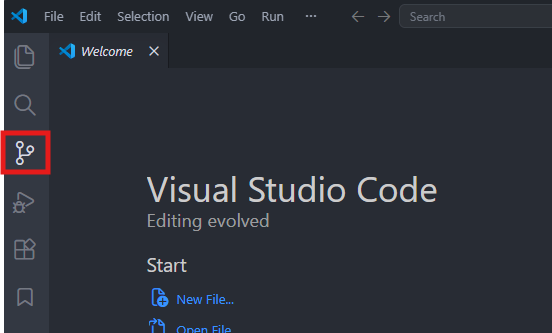
Open Source Control in VS Code.
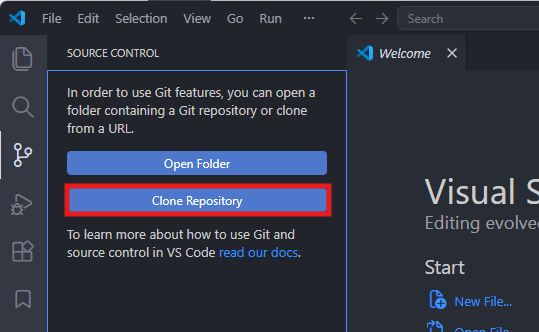
Select Clone Repository. If the button is not visible, open the Command Palette with Ctrl+Shift+P and run Git: Clone.
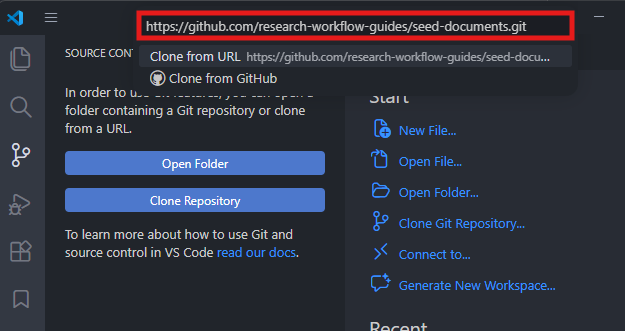
Paste the HTTPS URL and select Clone from URL. If a sign-in prompt appears for the private repository, finish authentication in the browser and return to VS Code.
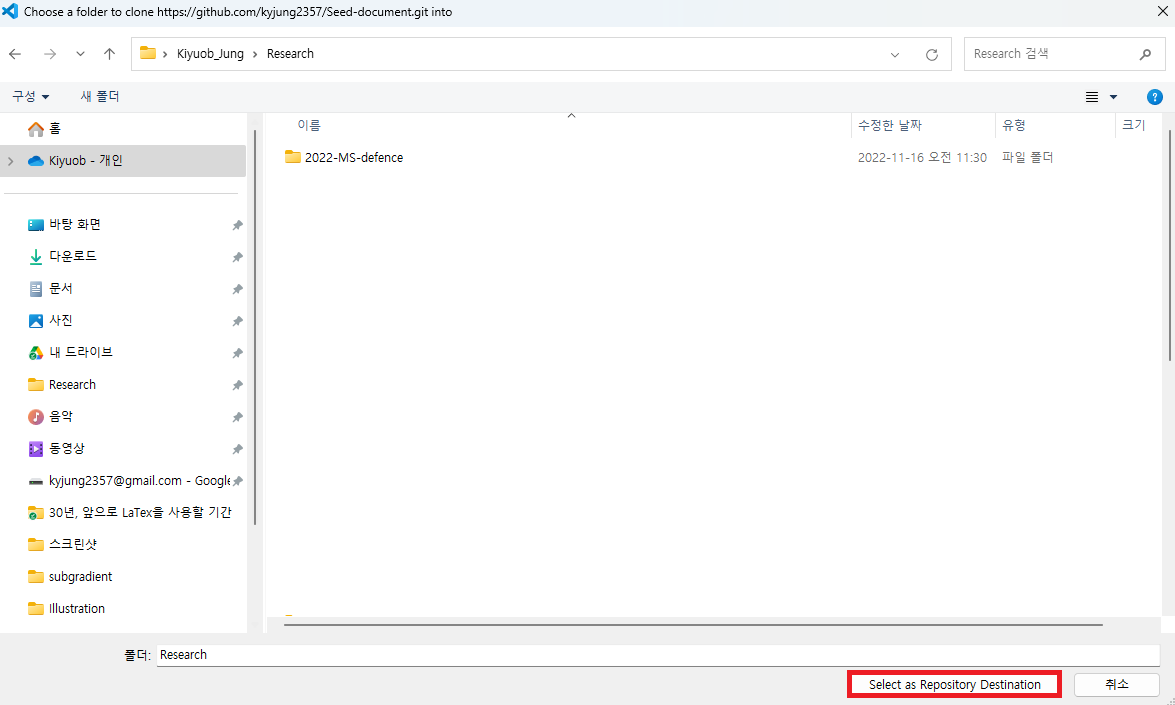
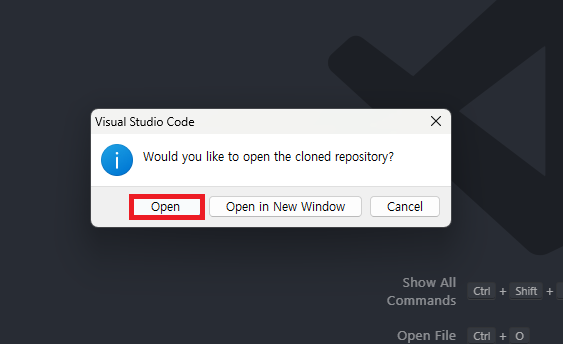
Choose the parent folder where the cloned repository folder will be created. When cloning finishes, select Open to open the new repository folder.
Other clone methods
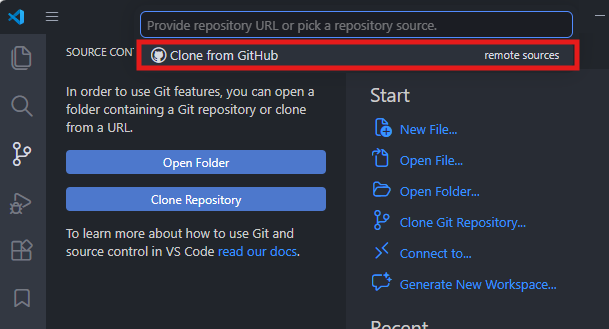
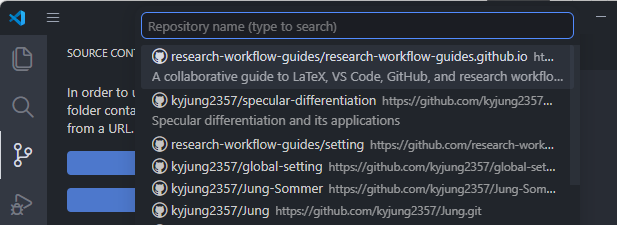
You can also select Clone from GitHub in VS Code and search for the repository by name. The images below show an older repository picker. If the empty private repository does not appear, use its HTTPS URL instead.
To use a terminal, run these commands from the parent folder where you want the clone. Replace the example URL with your repository’s HTTPS URL.
git clone https://github.com/OWNER/REPOSITORY.git
cd REPOSITORY
Check the clone
Run these commands in the cloned folder. The clone is ready when git status runs without a repository error and origin in git remote -v points to the URL you copied. An empty repository has no commits or project files yet.
git status
git remote -v
Move the needed source files from inside the seed-documents folder downloaded in step 3 into the cloned repository folder. Copying the seed-documents folder itself would add an extra folder level.